
Zapier Integration
Setting up Zapier integration
Section titled “Setting up Zapier integration”-
Create a new Zap
Section titled “Create a new Zap”In your Zapier dashboard, click Create Zap.
-
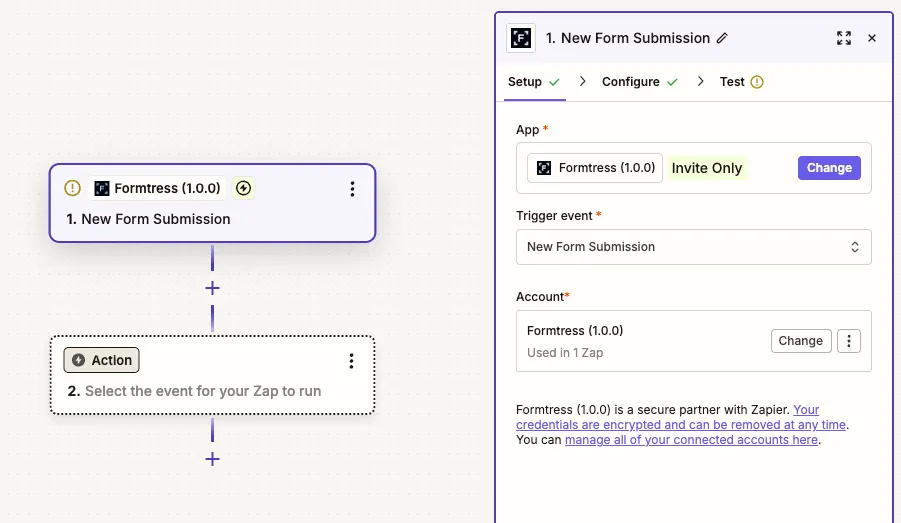
Choose Formtress as the trigger app
Section titled “Choose Formtress as the trigger app”Search for and select Formtress as the trigger app, then choose the New Form Submission trigger event.
-
Connect your Formtress account
Section titled “Connect your Formtress account”Click Sign in to Formtress and enter your API key from the Formtress dashboard. You can find your API key in Connect -> Zapier.
-
Select your form
Section titled “Select your form”Click Continue, then select the form you want to connect from the dropdown and click Continue.
-
Test the trigger
Section titled “Test the trigger”Click Test trigger to fetch a recent submission and confirm the connection is working. Make sure you have at least one submission in your form to test with.
-
Choose your action app
Section titled “Choose your action app”From here, you can choose any of the thousands of apps Zapier integrates with to send your form submissions to. You will have access to all the form fields as variables in Zapier, as well as some metadata like the form name, submission date, and time.