Mailchimp Integration
Setting up Mailchimp integration
Section titled “Setting up Mailchimp integration”-
Go to your form settings
Section titled “Go to your form settings”In the Formtress dashboard, navigate to the form you want to set up the Mailchimp integration for and click on it to go to the form details page. Then click on the Connect button in the top right corner.
Alternatively, you can navigate directly to the Connect page, select Mailchimp from the list of integrations, and select your form from there.
-
Connect your Mailchimp account
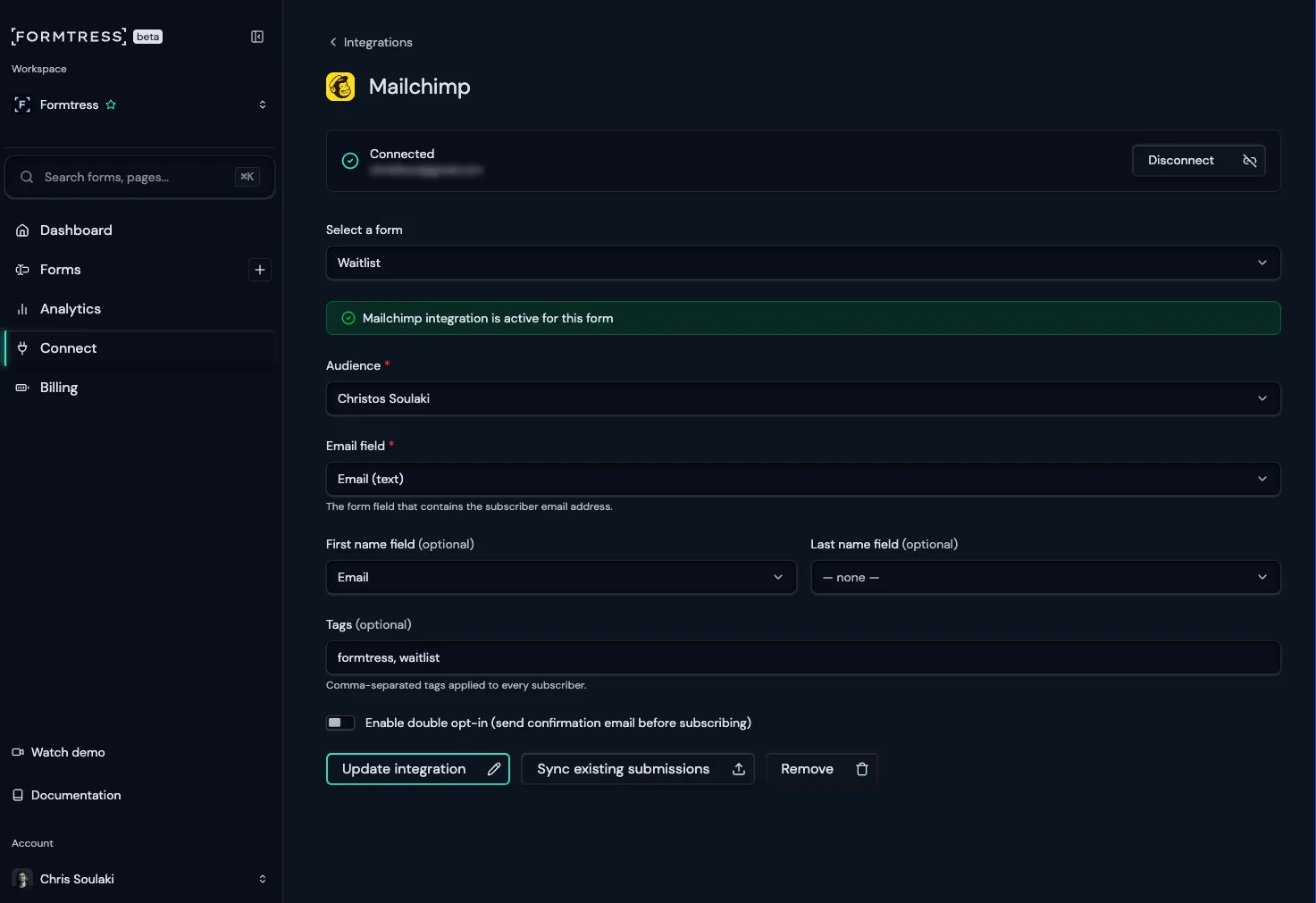
Section titled “Connect your Mailchimp account”Click on the Connect button to connect your Mailchimp account. You will be prompted to log in to your Mailchimp account and authorize Formtress to access your Mailchimp data.
-
Select your Mailchimp audience
Section titled “Select your Mailchimp audience”After connecting your Mailchimp account, select the Mailchimp audience you want to connect to your form. This is the audience where new subscribers will be added when they submit the form.
-
Map form fields to Mailchimp fields
Section titled “Map form fields to Mailchimp fields”Map the form fields to the corresponding Mailchimp fields. This ensures that the data from your form submissions is correctly added to your Mailchimp audience.
-
Add tags (optional)
Section titled “Add tags (optional)”You can also add tags to the subscribers added to your Mailchimp audience. This can help you segment your audience and target specific groups of subscribers with your email campaigns.
-
Save your integration settings
Section titled “Save your integration settings”Once you’ve filled out the form, click the Save button to save your settings.
-
Test your integration settings
Section titled “Test your integration settings”After saving, it’s a good idea to test your integration settings by submitting a test entry through your form and checking if the subscriber is added to your Mailchimp audience.
If you already have form submissions, you can also use the “Sync existing submissions” button to sync all existing form submissions to your Mailchimp audience.